I remember tearing open my first high-tech pair of glasses, thinking that I was living in the future. But after just four hours of wearing it, my nose was screaming, and I had a huge headache. If you sit reading this and thinking, “Are Smart Glasses Comfortable? What Are the Downsides of Smart Glasses?”, you are in the best place. Time to spill the tea of what these big tech companies are not telling you before spending hundreds of dollars.
The Physical Reality: Are Smart Glasses Comfortable?
The simple truth is that wearing a computer on your face has a cost. The main problem is that the frames are heavy while watching movies on smart glasses. Fitted with batteries, speakers, and cameras, the glasses put a hard squeeze on the nose.
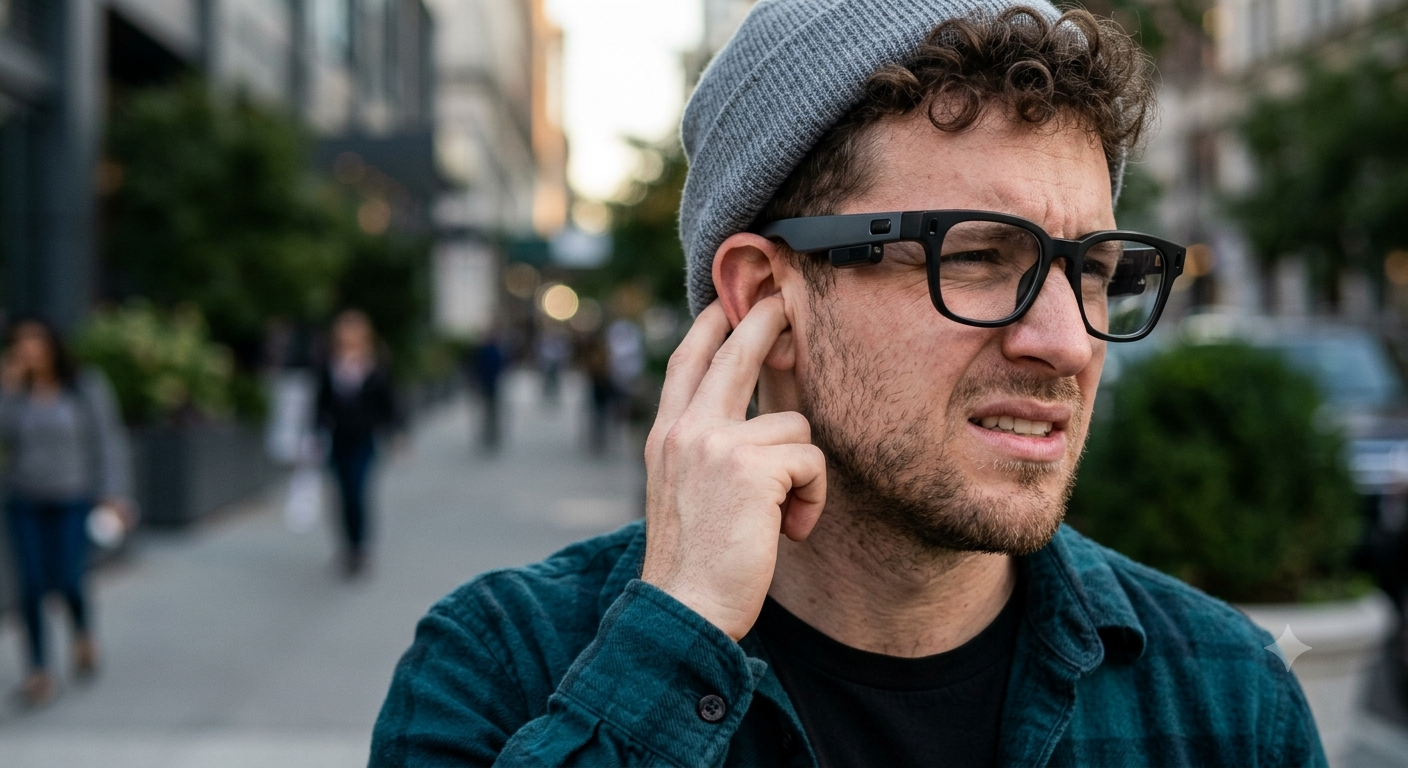
The next issue is the pressure points behind the ears. The thick arms are stiff to hold the wiring, and you will feel a dull pain after prolonged use. This pressure leads to headaches in many people.
Finally, we come to heat and sweat. The right arm holds the processor, and it gets physically hot while you are recording. This heat leads to sweat, and the heavy frames slide down your nose.
The Tech Headaches: What Are the Downsides of Smart Glasses?
Besides the physical fit, the day-to-day tech is also a pain. The first issue is battery life despite smart glasses charging a monthly fee. You may get three to four hours of active use before needing a recharge. Smart glasses are also largely dependent on your phone. Without a strong Bluetooth connection to your mobile device, most smart glasses become unusable. Connectivity issues happen randomly when walking in crowded areas.
Another problem is the camera quality and recording limits. The video looks fantastic in sunny weather. But as soon as you go inside or at night, the image becomes very grainy. Most models have a strict 60-second limit on video clips to avoid overheating.
Privacy and audio leakage are also a concern. Turning the built-in speakers over 50% allows everyone on the bus to hear your phone call. People also get weirded out by the flashing LED light when recording others.
Finally, if you buy AR (Augmented Reality) frames, you will have display limitations. The screens seem as if you are staring through a small toilet paper tube, and the edges of the image often blur out.
How to Actually Make Smart Glasses Work for You
I do see them as useful, and I wear smart glasses daily even the version of smart glass having the prescription. I just use a system to counter the annoying aspects. This is precisely how my girl makes them comfortable and functional.
- Fix the Fit Immediately
Do not wear the glasses straight out of the box if they hurt. Take the pair to a local optometrist and ask them to heat and bend the arms to fit your head. Next, buy a cheap pack of stick-on silicone nose pads on Amazon to stop the sliding and fix the nose pressure.
- Manage the Power Drain
Turn off the “Hey Meta” or always-listening voice assistant to save battery. I also keep a tiny magnetic power bank in my pocket. I pop the glasses into their charging case for 15 minutes when I am sitting at a coffee shop.
- Handle Calls Like a Pro
To fight the audio leakage, keep glasses’ volume under 30% when in public. If you need to take a private work call, route the audio back to your phone or a single wireless earbud. Use the glasses for podcasts and music, not for secret conversations.
My Top Smart Glasses Picks for 2026
These are the only smart glasses models that are worth your hard-earned cash right now if you are ready to jump in.
🏆 Top Pick
Meta Ray-Ban Wayfarer Smart Glasses These are the gold standard of 2026. The camera is decent, the AI features are helpful, and they look like normal sunglasses. Just be prepared to charge the case often. Buy the Meta Ray-Ban Smart Glasses Price: ~$299
Xreal Air 2 Pro AR Glasses If you are a fan of watching movies on a giant virtual screen on an airplane, this is your pair. They are front-heavy, but the display quality is fantastic for gaming and Netflix. Buy the Xreal Air 2 Pro Price: ~$449
💰 Budget Pick
Razer Anzu Smart Glasses Do not care for a camera? This pair just plays audio and filters blue light. They are ultra-light, meaning no ear pressure, and the price is less than a nice dinner. Buy the Razer Anzu Price: ~$49
Must-Have Comfort Accessories
You absolutely need the following two items to survive smart glasses.
Silicone Anti-Slip Nose Pads: Save your nose from red dents. Buy Silicone Nose Pads
Anker Nano Power Bank: The glasses case dies fast. Keep this tiny charger on you. Buy the Anker Nano
Maintenance & Pro-Tips
Never wipe the camera lens with your shirt. You will scratch the tiny glass cover, and ruin your video quality forever. Keep a microfiber cloth in your pocket at all times.
Also, clean the speaker grilles on the arms with a dry toothbrush once a week. Sweat and dead skin clog the tiny holes, and it ruins the audio quality and makes the audio leakage worse.
Are you willing to pay the cost of a little ear pressure to have a camera on your face, or is it still too clunky for you? Drop a comment below, and tell me your thoughts. If you discover a secret way to stop them from sliding down your nose, share it with the class!
Frequently Asked Questions
Can smart glasses replace my phone?
No, they cannot. Smart glasses in 2026 still have a heavy dependence on your phone for internet connectivity, GPS processing, and saving your video files. They are an accessory, not a replacement.
Do smart glasses cause headaches?
Yes, they often do. The thick plastic arms create a squeezing pressure behind the ears, and the added weight on the bridge of your nose can lead to tension headaches.
Can other people hear my audio on smart glasses?
Yes, audio leakage is a real issue. The speakers sit outside of your ear, and anyone sitting close to you in a quiet room will be able to hear your music or phone call when the volume is over 50%.
How long can smart glasses record video?
Most camera glasses have strict recording limitations. To prevent the internal processor from overheating, brands like Meta limit continuous video recording to 60 seconds per clip.
Are smart glasses safe for your eyes?
The lenses themselves are safe and often include UV and blue light protection. However, AR display limitations can cause eye strain if you attempt to read tiny text on the virtual screens.
