Let’s be real, holding a phone over your face in bed is a massive hazard. I dropped my heavy iPhone on my nose last week, and that was the final straw. So, if you are sitting there rubbing your face and asking, can you watch Netflix on smart glasses? The answer is a gigantic yes and here’s a quick comparison on best smart glasses to watch movies.
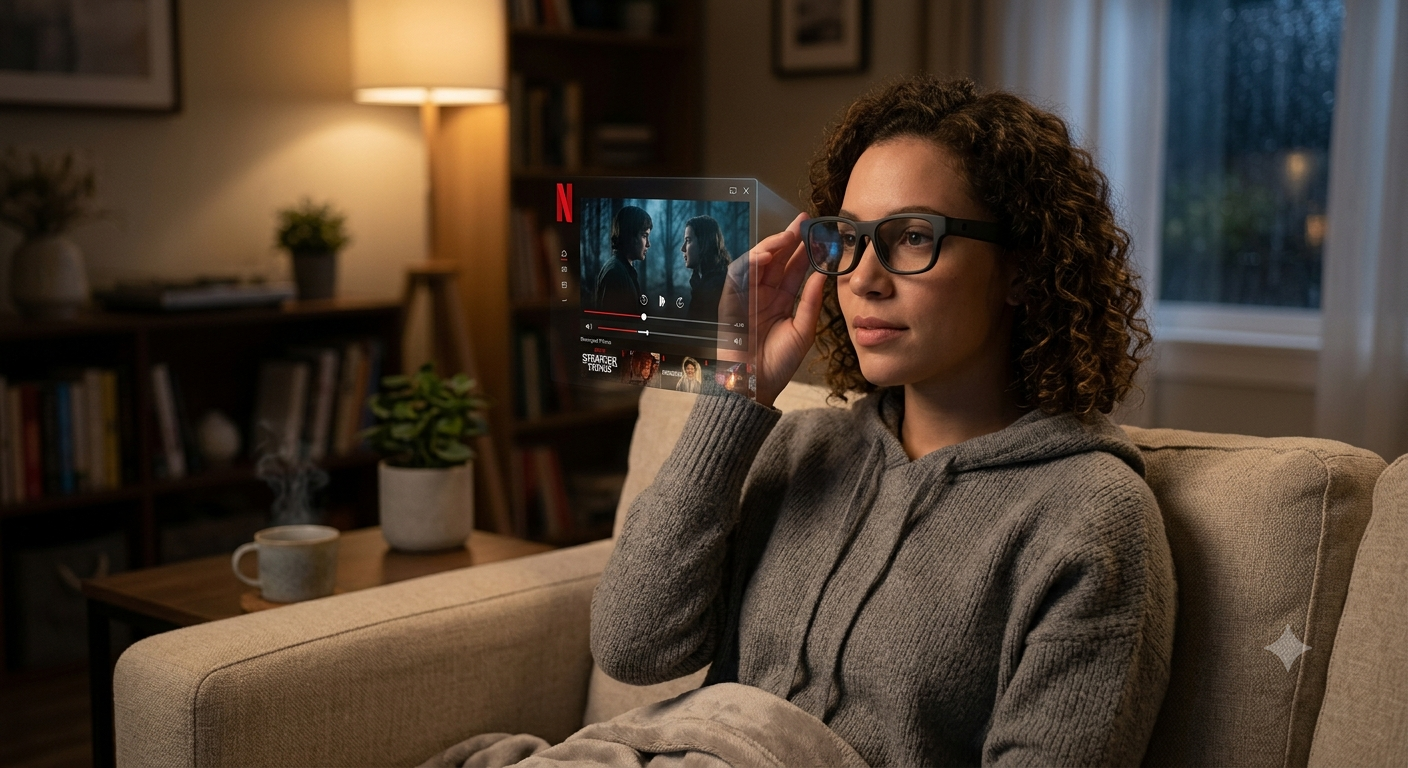
In 2026, Among many things that a smart glasses can do, we are well past chunky VR headsets that ruin your hair and make you sweat. Today’s smart glasses look like regular sunglasses, weigh about 75 grams, and project a crisp 130-inch OLED screen right in front of your eyes. I spent 14 hours flying to Tokyo last month watching Stranger Things on my personal floating theater, and I am never going back to airplane seatback screens.
But here is the catch: Netflix has strict copyright rules (DRM), meaning you cannot just buy any random pair of glasses and expect it to work instantly. You need the right hardware, the right cables, and a quick setup system. Between you and me, I have tested every major pair on the market, and I am going to give you exactly how to set this up in under five minutes.
The Big Rule: Display Glasses vs. Audio Glasses
Newsflash! Not all smart glasses have screens inside them and you can get smart glass with prescription as well. So if you buy the wildly popular Meta Ray-Bans, you are getting amazing cameras and audio, but no video display.
To watch Netflix on smart glasses, you will need to specifically get AR (Augmented Reality) or XR (Extended Reality) display glasses. These pack tiny micro-OLED screens into the top of the lenses and reflect the image down to your eyes. Brands like Xreal, Viture, and Rokid are the current kings of this space.
When you put them on, the real world is visible around the edges, but a massive, bright 1080p or 4K screen floats in the middle. It feels exactly like sitting in the middle row of a movie theater, but with no one kicking your seat.
To watch Netflix on smart glasses, do the following steps
Netflix uses heavy DRM (Digital Rights Management) to stop people from pirating their shows. So if you try to wirelessly screen-mirror your Netflix from an iPhone to most smart glasses, you will get a black screen with audio. This is how to bypass that.
Step 1: The Direct Hardwired Method (Easiest)
If you have an Android phone (like a Samsung Galaxy S24) or an iPhone 15/16 with a USB-C port, you’re in luck! These phones support a feature called “DisplayPort Alt Mode” out of the box.
All you need to do is plug the USB-C cable from your smart glasses directly into your phone. Your phone screen will instantly mirror to the glasses. Open the Netflix app, hit play, and the DRM block won’t activate because it is a secure, hardwired connection.
Step 2: The Wireless Accessory Route (Best for Apple Users)
If you have an old iPhone with a Lightning port, or you simply hate having your phone tethered to your face, you will need a streaming accessory. Most of your smart glasses brands sell a companion device, like the Xreal Beam Pro or the Viture Neckband.
These accessories run their own built-in Android TV software. You connect your glasses to the accessory, connect the accessory to Wi-Fi, and simply download the native Netflix app directly onto it. This frees up your phone entirely so you can text while you watch.
Step 3: Dial in Your Audio and Light Settings
Smart glasses have built-in speakers in the arms, but they tend to bleed sound. So if you are on a plane or in bed next to your partner, the whole room will hear your movie. Always make sure to pair your phone or streaming accessory to a decent set of Bluetooth earbuds first. Wearing smart glasses for a long time could cause pain behind the ear and make you feel uncomfortable.
Next, snap on the blackout shades! Most display glasses come with a plastic cover that snaps over the front lenses. This blocks out the real world entirely, and makes for a deep, high-contrast, private movie theater.
My Top Smart Glasses for Streaming Netflix
Here are the only three models that I’ve tested until my eyes bled, that are worth your hard-earned cash in 2026.
Xreal Air 2 Pro
These are my daily drives. They feature electrochromic dimming, meaning you can darken the lenses with the push of a button (instead of snapping on a plastic cover). The 120Hz micro-OLED screens are super bright, and they weigh just 75 grams. .
Viture One XR
If you want the cleanest, most integrated ecosystem, Viture is incredible. They have a dial on the top of the frames to adjust the focus if you wear prescription glasses, so to save you from having to buy custom lens inserts.
Pair it with their Neckband for flawless native Netflix streaming!
Rokid Max
These project a slightly larger virtual screen (up to 215 inches perceived), and are usually a bit cheaper than the competition. The design is a bit bug-eyed for wearing in public, but for pure at-home or in-flight Netflix bingeing, the visual clarity is unmatched for the price.
Pro-Tips for Binge-Watching Netflix in AR
Watch Your Battery Life: Display glasses do not have their own batteries; they pull power directly from your phone. Streaming Netflix to your glasses will drain a standard smartphone battery by about 30% every two hours. Always bring a magnetic MagSafe power bank to charge your phone wirelessly while the USB-C port is occupied by the glasses.
Get Prescription Inserts: If you have bad eyesight, wearing smart glasses over your regular glasses is a fast path to a bruised nose. Most brands offer magnetic prescription inserts that snap inside the frames. Spend the extra $50, and your face will thank you.
Download for Offline: If you are flying, the airplane Wi-Fi will not be fast enough to stream 1080p to your glasses. Always use the Netflix app on your phone or streaming accessory to download your episodes at home before you head to the airport.
Have you leapt into the AR movie watching yet, or are you still dropping your iPad on your face every night? I want to hear about your setup. Go ahead and drop a comment below and tell me which glasses you are rocking, or if you are stuck on a black screen and need some troubleshooting help!
Frequently Asked Questions
Why is my screen black when I try to watch Netflix on smart glasses?
This is a DRM (Digital Rights Management) block. Netflix does not allow wireless mirroring of their content to protect against piracy. So you will need to either use a direct, hardwired USB-C to USB-C connection, or use a dedicated accessory like the Xreal Beam that runs a native Netflix app.
Do smart glasses hurt your eyes?
No! Because the lenses use optics that project the image at a perceived distance of about 10 to 20 feet away. Your eyes actually stay relaxed, focusing on a distant point, rather than straining to look at a phone screen six inches from your face.
Can I watch Netflix on Meta Ray-Bans?
No. Meta Ray-Ban smart glasses are audio and camera glasses only. They do not have built-in screens or projectors, so you cannot watch any video content on them.
Do I need an internet connection to use smart glasses?
The glasses themselves do not need the internet; they are just a portable monitor. However, your phone or streaming device will need an internet connection to stream Netflix, unless you have downloaded the episodes for offline viewing ahead of time.
