Listen, your girl was a massive skeptic when these tech frames first hit the market. If you are sitting there Googling, “What Do Smart Glasses Actually Do?” you are in the exact same boat I was last year. I thought they were just a creepy sci-fi gimmick for tech bros, but in 2026, they have completely replaced my smartwatch and half my daily phone habits.

Between you and me, the tech has finally caught up to normal life. Today’s frames look exactly like classic Ray-Bans or stylish wire rims, weigh under 50 grams, and pack battery lives that easily survive a full work shift. Let’s cut the fluff and break down exactly how these wearable computers actually fix your messy, distracted daily routine.
The Relatable Hook: Why You Need to Look Up
Newsflash! Staring down at your phone for six hours a day is ruining your posture, trashing your neck, and making you miss real life. I used to walk my dog with my neck bent at a 45-degree angle, juggling a leash, a coffee, and my phone just to skip a Spotify ad. It was a chaotic, frustrating mess that usually ended in spilled coffee or a tripped-over leash.
I understood what what smart glasses are and then Shifting to smart glasses solved this instantly by putting my digital life at eye level or right in my ears. You don’t realize how much time you waste pulling your phone out of your pocket until you literally never have to do it again. An efficient fix matters because it gives you your hands back, keeps your eyes on the road, and honestly makes you feel like a secret agent.
Step-by-Step Execution Guide: 8+ Things You Can Do
If you want to know what these frames actually pull off in 2026, here is the exact breakdown of how I use them every single day.
1. Snap Photos & Record True POV Video
The cameras on modern frames are wildly impressive now. You can snap crisp 12MP photos or record smooth 1080p video at 60 frames per second just by double-tapping the side arm or using a voice command.
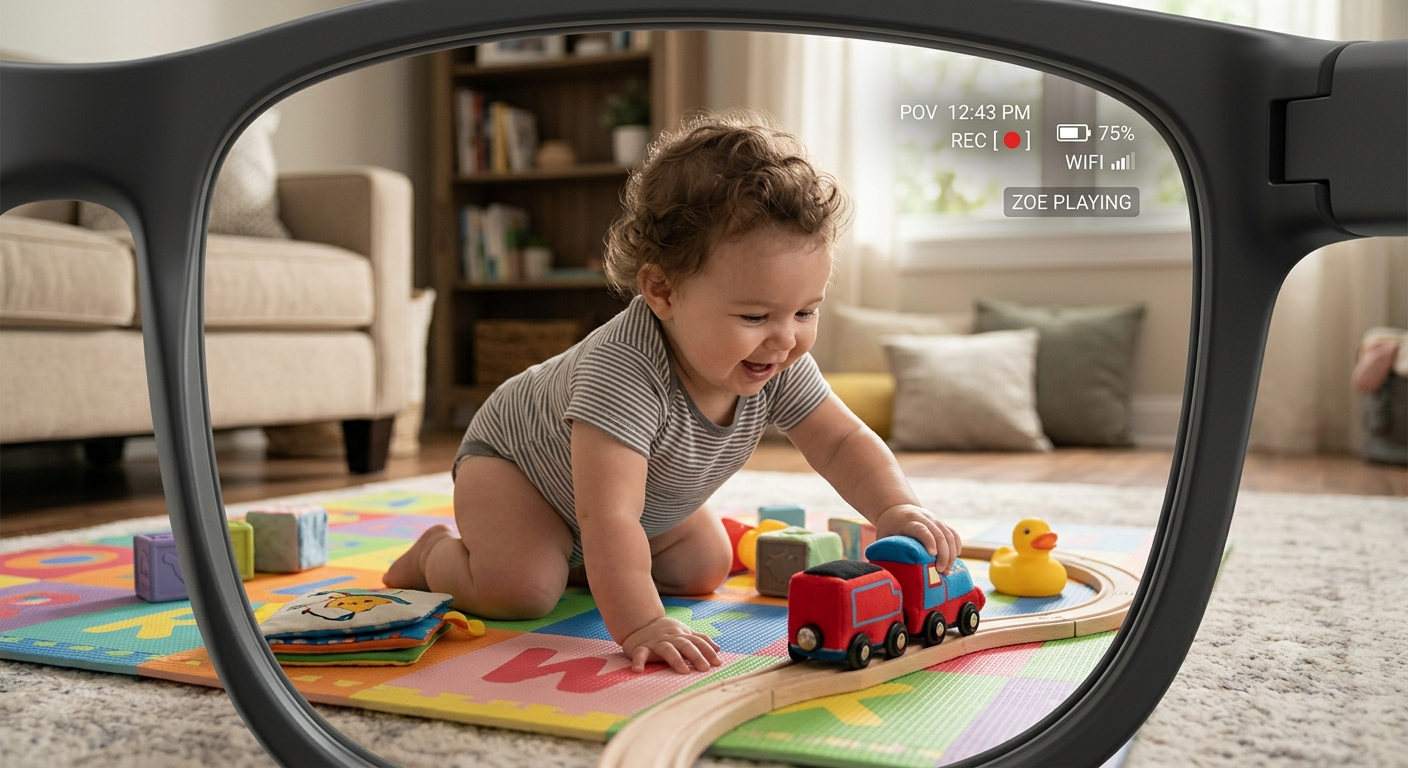
This gives you true POV recording, meaning you capture exact eye-level moments of your kids playing, your dog running, or your hands cooking a messy recipe without holding a camera. The built-in stabilization removes the shaky-head effect, and a bright LED privacy light automatically flashes so people around you know you are recording and there’s more to how smart glasses work.
2. Hands-Free Calls & Bumping Music
Forget shoving sweaty earbuds into your ear canals. Smart glasses use open-ear directional audio speakers hidden inside the arms that pump sound directly down into your ears.

You can listen to your favorite true crime podcast or bump your gym playlist while still hearing traffic, approaching bikes, or your boss calling your name. Five separate micro-microphones cancel out wind noise, making your phone calls sound crystal clear even if you are biking down a breezy street at 15 miles per hour.
3. Managing Messages & Notifications
You can set your glasses to act as a VIP bouncer for your brain. Instead of your phone buzzing for every spam email, your AI assistant will gently whisper your important messages directly into your ear.
You can reply completely hands-free by saying, “Send a message to Mom saying I will be 10 minutes late,” and the glasses dictate and send it via WhatsApp, iMessage, or SMS instantly. It keeps you connected to your inner circle without dragging you into the doom-scroll trap of opening your phone.
4. Ask AI Questions & Object Identification
This is where the 2026 tech gets crazy and how smart glasses look like. Thanks to multimodal AI, the camera acts as the eyes for your smart assistant. You can look at a weird rash on your arm, ask “What is this?” and the AI will analyze it and suggest you see a dermatologist for eczema.
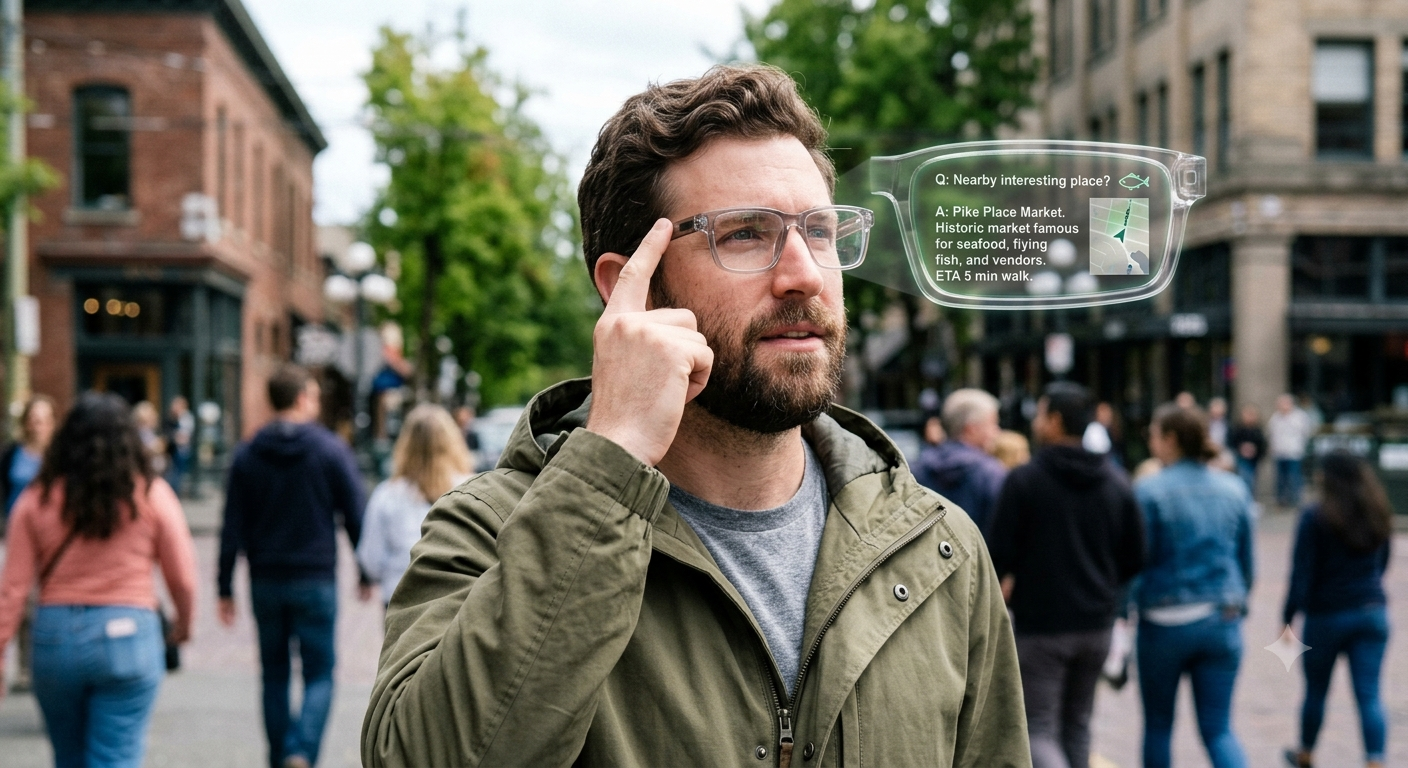
Object identification works for everything from checking if a plant is toxic to your cat, to looking at an empty fridge and asking the AI to generate a dinner recipe based on three random ingredients. It is literally having a genius sitting on your face.
5. Live Translation & Reading Text
Traveling abroad is an absolute breeze now. You can look at a French menu, ask your glasses to translate, and the AI will read the English translation aloud into your ear.
Real-time conversation translation is also here; if someone speaks Spanish to you, the glasses pick up the audio and instantly whisper the English translation to you with less than a one-second delay. They can also read text aloud from books or screens, which is a massive win for tired eyes at the end of a long workday.
For the AR-heavy glasses comparing to a regular glasses vs smart glasses, you get a full Heads-Up Display (HUD) projected right onto the lenses. You can pull up Google Maps and see glowing blue arrows floating on the sidewalk, telling you exactly when to turn left.
If you buy dedicated display glasses, you can plug them into your Steam Deck or iPhone and project a massive 150-inch virtual OLED screen in front of your face for private movie watching on airplanes.
7. Live-streaming Your Life & Setting Reminders
Content creators, listen up. You can natively livestream your POV directly to Instagram or TikTok via a simple double-tap, letting your followers see exactly what you see while you read their comments in your ear.
You can also set location-based or visual reminders. Tell your glasses, “Remind me to buy eggs when I see a grocery store,” and the AI will track your location and vision, pinging you the second you walk past a Trader Joe’s.
8. Massive Accessibility Features
For visually impaired users, these frames are completely changing daily life. The glasses can continuously scan the environment and verbally describe surroundings, read street signs aloud, or warn users about upcoming stairs.

They can even identify denominations of paper money or recognize the faces of friends walking up to them, whispering the person’s name into the user’s ear to avoid awkward interactions.
Maintenance & Pro-Tips for Smart Glasses Owners
To keep your expensive face-tech running perfectly, you need a solid system. First, NEVER use a wet wipe or your t-shirt to clean the camera lenses; always use a dedicated microfiber cloth to avoid micro-scratches that ruin your video focus.
Second, manage your battery drain by turning off the “always listening” wake word if you are just sitting at your desk. Rely on the physical touch-pad on the arm to wake the AI instead, which easily adds 3 hours to your daily battery life.
Finally, respect the privacy light. If you try to cover the LED recording light with tape, modern glasses will detect it and refuse to record video. Just be a normal, polite human and let people know when you are snapping a photo.
Are you still on the fence about wearing a computer on your face, or are you ready to ditch the smartwatch? Drop a comment below and tell me what feature you would actually use the most. If you already own a pair, share your best battery-saving trick with the community!
Frequently Asked Questions (FAQs)
Do smart glasses need a phone to work?
Yes, most lightweight smart glasses rely on a Bluetooth connection to your smartphone to process data, access the internet, and save your photos and videos.
Can I get prescription lenses in smart glasses?
Absolutely. Brands like Meta, Amazon, and Xreal all partner with major lens providers (like LensCrafters) so you can easily order your frames with your exact single-vision or progressive prescription.
How long does the battery actually last?
With moderate use (listening to music, asking AI a few questions, taking a dozen photos), most frames last between 4 to 6 hours on a single charge. The carrying case usually acts as a power bank, providing an extra 30 hours of juice on the go.
Are smart glasses bad for your eyes?
No, audio-first smart glasses function just like normal sunglasses or prescription glasses. AR glasses with HUDs are designed to project images at a comfortable focal distance, reducing eye strain compared to staring closely at a tiny phone screen.
